Daily prayer tracking
How to track daily prayers without overcomplicating it.
- Record only the five prayers.
- Complete the entry at one consistent time.
- Use the calendar for review, not judgment.
- Keep notes and goals optional.
Prayer tracking is useful when it reduces uncertainty. It becomes less useful when maintaining the tracker takes more energy than reviewing the result. A sustainable method should therefore be quick, specific and easy to repeat.
1. Decide what the record needs to answer
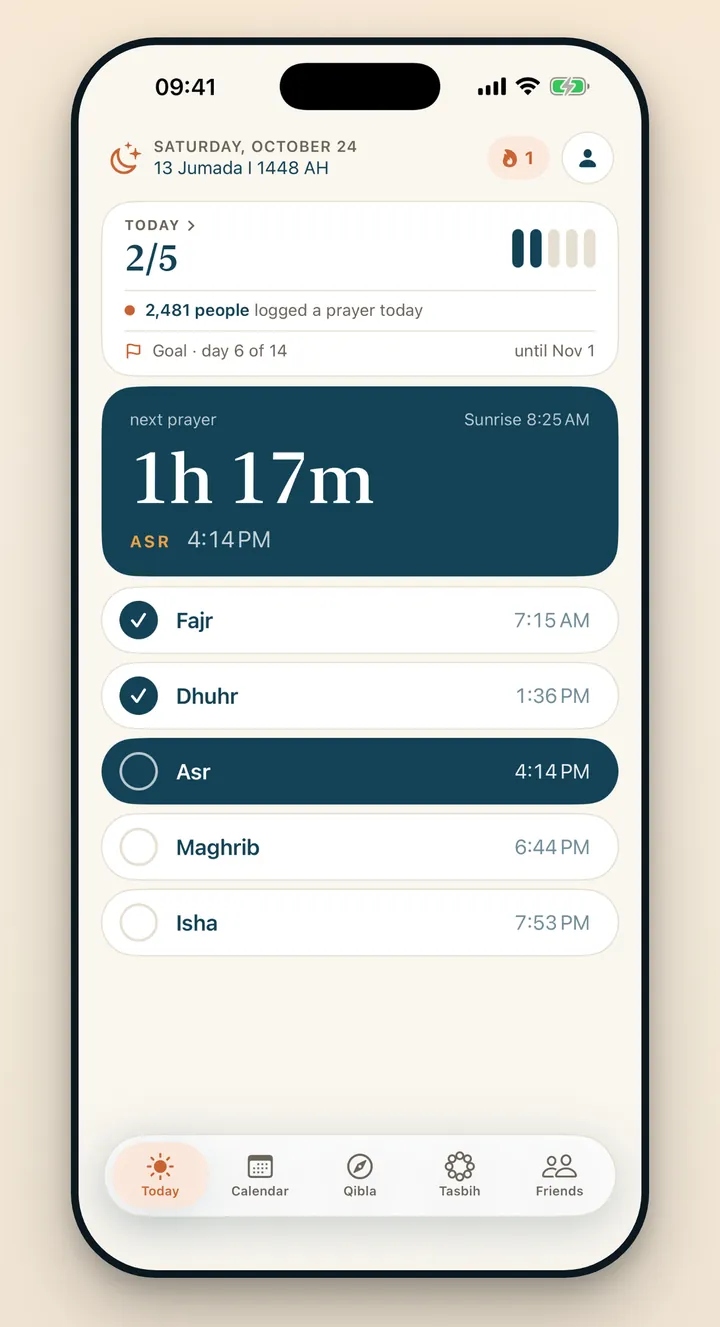
For Praylendar, the question is deliberately narrow: which of the five daily prayers did you complete? That gives you a concrete record without asking you to rate the day, write a reflection or choose a goal every evening.
If you need a richer journal, you can keep one separately. The prayer tracker remains useful precisely because it does not try to become every kind of journal at once.
2. Use one consistent check-in point
Choose a time when the day is usually settled. Praylendar offers an optional evening check-in for this purpose, separate from the reminders before each prayer. It simply brings you back to the app when you are ready to review the five rows.
3. Record the prayers, not a perfect story
An honest record includes complete days, partial days and quiet days. Leaving out difficult days creates a cleaner picture but a less useful one. In Praylendar, each result still belongs on the same calendar.
The point is not to make every square look identical. The point is to see the month as it actually happened, then return the next day.
4. Review patterns at the right scale
A daily screen answers what happened today. A monthly screen reveals repeated patterns. A yearly view adds perspective, especially when a single difficult week feels larger than it is.
Reviewing at several scales can keep one square from defining the entire record. Praylendar includes week, month, 90-day and annual exports for the same reason.
5. Keep social features optional
Some people value private accountability with a friend; others prefer to track alone. Praylendar does not require an account for the local tracker. Sign in with Apple is only needed for profiles, friends and reminders.
A tracking app records what you enter. It does not assess religious obligations or provide rulings. Ask a qualified person you trust when you need religious guidance.
A small routine you can repeat
- Open Praylendar once near the end of the day.
- Check the prayers completed. They are saved as you tap.
- Review the month occasionally, not constantly.
That is enough. The calendar grows from the repetition of a very small action.
See the five-prayer checklist
Learn what appears on the daily logging screen.